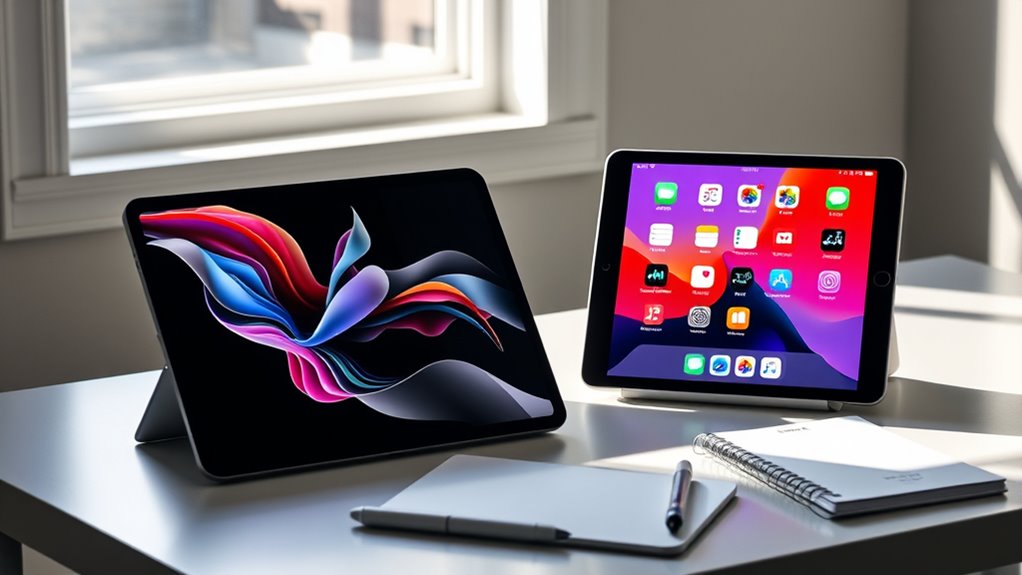

Choosing between the iPad Pro and iPad Air for student use involves weighing performance, portability, and budget. The iPad Pro offers premium features like larger screens and faster chips, ideal for multitasking and creative work. The iPad Air provides many of the Pro’s capabilities at a more affordable price and lighter weight, making it easier to carry around campus. The main tradeoffs revolve around cost versus power, and size versus convenience. Continue reading for a detailed breakdown of these options to find the best fit for your educational needs.

Get garden gear delivered free with Prime
- Fast, free delivery on millions of items
- Prime Video, Amazon Music and more included
- Member-only deals all year
Complete the kit


Key Takeaways
- The iPad Pro models generally deliver higher performance, better for multitasking and creative projects, but come at a higher price point.
- The iPad Air strikes a balance between power and portability, making it suitable for most students without breaking the bank.
- Screen size and display technology are key factors—larger screens benefit multitasking, while smaller models are easier to carry around.
- Choosing between Wi-Fi 6 and Wi-Fi 7 impacts connectivity speed, especially for students relying on cloud-based work.
- Storage options vary significantly; students should consider their app, file, and media needs to select appropriately.


| ipad pro vs ipad air for student | Display | Storage | Connectivity | Processor |
|---|---|---|---|---|
| Apple iPad Pro 11-inch | 11-inch Ultra Retina XDR | 256GB | Wi-Fi 7 with Apple N1 | Apple M5 |
| Apple iPad 11-inch with A16 Ch | 11-inch Liquid Retina | 128GB | Wi-Fi 6, USB-C | A16 chip |
| Apple iPad Pro 12.9-inch | 12.9-inch Liquid Retina | 256GB | Wi-Fi | A12Z Bionic |
| Apple iPad Air 13-inch | 13-inch Liquid Retina | 128GB | Wi-Fi 7 | Apple M4 |
| Apple 2022 iPad Pro 12.9-inch | 12.9-inch Liquid Retina XDR | 256GB | Wi-Fi 6E, 5G | Apple M2 |
| Apple iPad Air 2020 | 10.9-inch Liquid Retina | 64GB | — | — |
| Apple iPad Pro 2024 | 13-inch Ultra Retina XDR | 256GB | Wi-Fi 6E, 5G | — |
| Apple iPad Air 13-inch | 13-inch Liquid Retina | 1TB | Wi-Fi 6E, 5G | M2 |
| Apple iPad Pro 13-inch with M5 | 13-inch Ultra Retina XDR | 512GB | Wi-Fi 7 | — |
| Apple iPad Air 11-inch | 11-inch Liquid Retina | 128GB | Wi-Fi 7 | M4 |
More Details on Our Top Picks
Apple iPad Pro 11-inch (2025) with M5 Chip, 256GB, Ultra Retina XDR Display, Wi-Fi 7, Face ID, Space Black
This iPad Pro stands out for its exceptional performance thanks to the M5 chip, making it ideal for students involved in demanding creative projects or multitasking. Its Ultra Retina XDR display with ProMotion and P3 wide color provides vivid visuals, surpassing the Liquid Retina screens on standard iPads like the 11-inch A16 model. While its 16GB RAM and 256GB storage support intensive workflows, the premium price and lack of included accessories may deter budget-conscious students. Compared to the 12.9-inch 2020 Pro, this model boasts faster Wi-Fi 7 and Face ID, but the smaller size enhances portability for on-the-go use. The absence of bundled Pencil or Keyboard means additional costs for productivity. Best suited for students needing high performance, creative flexibility, and future-proof connectivity.
Pros:- Powerful M5 chip delivers exceptional speed for demanding tasks
- Stunning Ultra Retina XDR display with ProMotion and wide color gamut
- Advanced camera system with Face ID for secure authentication
- Fast Wi-Fi 7 connectivity supports quick data transfer
Cons:- Premium price may be prohibitive for many students
- No included Apple Pencil or Keyboard in the base package
- Limited to iPadOS 26, which might restrict some app functionalities
Best for: Students involved in digital art, video editing, or multitasking-heavy coursework who need top-tier speed and display quality
Not ideal for: Budget-conscious students or those who prefer an all-in-one device with included accessories—this model’s premium price and extra purchases may be limiting
- Display:11-inch Ultra Retina XDR
- Processor:Apple M5
- Storage:256GB
- Memory:16GB
- Camera (Front):12MP with Center Stage
- Connectivity:Wi-Fi 7 with Apple N1
- Dimensions:6.99 x 9.83 x 0.21 inches
- Weight:15.7 ounces
- Battery Life:All-Day
Our verdict“This iPad Pro is best for students who require top-tier performance and display quality and are willing to invest in premium features.”
Apple iPad 11-inch with A16 Chip, 128GB, Liquid Retina Display, Wi-Fi 6, 12MP Front/Back Camera, Touch ID, Blue
This iPad combines strong performance with versatility, thanks to the A16 chip and support for both Apple Pencil (1st gen) and Magic Keyboard Folio—features that are not available on the more expensive iPad Pro models like the 2022 or 2025 Pro. Its Liquid Retina display offers vibrant visuals suitable for browsing, note-taking, and media consumption. However, the 128GB storage can be limiting for students with large files or extensive app libraries, especially compared with the 256GB or higher storage options on the Pro line. The absence of cellular connectivity and the need to purchase an Apple Pencil separately add to the costs. This model makes sense for students seeking a balance of power, screen quality, and affordability without the high price tag of Pro devices. Ideal for students who want a capable, portable device with accessory support at a more accessible price.
Pros:- Powerful A16 chip ensures high performance for everyday tasks
- Vivid Liquid Retina display with True Tone for comfortable viewing
- Supports Apple Pencil (1st gen) and Magic Keyboard Folio for enhanced productivity
- Fast Wi-Fi 6 connectivity for reliable internet access
Cons:- Limited to 128GB storage, which may be insufficient for some students
- No cellular connectivity option in this model
- Apple Pencil (1st gen) requires additional purchase
Best for: Students who need a flexible device for note-taking, browsing, and light creative tasks, and want compatibility with accessories like Pencil and Keyboard
Not ideal for: Students who require extensive storage or high-end performance for demanding creative projects—128GB may fall short over time
- Display:11-inch Liquid Retina
- Processor:A16 chip
- Storage:128GB
- Camera (Front):12MP
- Camera (Back):12MP Wide with True Tone
- Connectivity:Wi-Fi 6, USB-C
- Battery Life:All-day
Our verdict“This iPad offers a compelling mix of performance and accessory support ideal for students seeking versatility without premium costs.”
Apple iPad Pro 12.9-inch (2020, Wi-Fi, 256GB) – Space Gray (Renewed)
This 2020 Pro model features a expansive 12.9-inch Liquid Retina display, making it ideal for students engaged in detailed design work or media editing. Its A12Z Bionic chip still holds up well for most tasks, but it lags behind newer models like the 2022 or 2025 Pro, which boast faster processors and more advanced connectivity. The large screen is a highlight compared to smaller tablets like the 11-inch models, but its size reduces portability—less ideal for students on the move. The renewed status offers savings but also comes with limited warranty concerns. For those who prioritize screen real estate over portability and are okay with the slightly older hardware, this device remains a capable choice. Best suited for students who need a large display for creative work and can manage the size.
Pros:- Giant 12.9-inch Liquid Retina display perfect for creative tasks
- Powerful A12Z Bionic chip handles demanding apps
- Advanced camera system with LiDAR Scanner for augmented reality
Cons:- Large size reduces portability for daily commuting
- Renewed product may have warranty limitations
- Older hardware compared to newer Pro models
Best for: Students in visual arts, video editing, or note-taking that benefits from a larger canvas
Not ideal for: Students needing a lightweight, portable device for frequent travel or those on a tight budget—renewed models may have limited warranty
- Display:12.9-inch Liquid Retina
- Storage:256GB
- Connectivity:Wi-Fi
- Processor:A12Z Bionic
- Front Camera:7MP TrueDepth
- Rear Cameras:12MP Wide, 10MP Ultra Wide, LiDAR Scanner
Our verdict“Best for students who prioritize a large, high-quality display for creative projects over portability and the latest hardware.”
Apple iPad Air 13-inch (M4) with Liquid Retina Display, 128GB, 12MP Front/Back Camera, Wi-Fi 7, Touch ID, Space Gray
The iPad Air with the M4 chip combines solid performance with a larger 13-inch Liquid Retina display, making it a great choice for students juggling multiple apps or creative workflows. Its support for Apple Pencil (1st gen) and Magic Keyboard enhances productivity, though its 128GB storage limits some users, especially compared to the 256GB or higher options available on higher-end iPads. The device’s Wi-Fi 7 and Touch ID offer fast, secure connectivity but lack cellular options, which might restrict use in some scenarios. Compared with the 11-inch iPad Air (M4), this model’s larger screen improves multitasking, but its slightly higher price and storage constraints could be drawbacks for budget-conscious students. This device is best for students prioritizing a bigger display for multitasking and creative tasks, with flexible accessory support.
Pros:- Powerful M4 chip offers smooth multitasking
- Large 13-inch Liquid Retina display enhances productivity
- Supports Apple Pencil (1st gen) and Magic Keyboard for flexible use
- Fast Wi-Fi 7 connectivity ensures quick internet access
Cons:- Limited to 128GB storage, which may be restrictive
- No cellular connectivity in this configuration
- Higher price point compared to smaller or less equipped tablets
Best for: Students who need a larger screen for multitasking, note-taking, and light creative work with reliable connectivity
Not ideal for: Students requiring extensive local storage or cellular connectivity—128GB and Wi-Fi only may be limiting
- Display:13-inch Liquid Retina
- Processor:Apple M4
- Storage:128GB
- Front Camera:12MP with Center Stage
- Back Camera:12MP, 4K video
- Connectivity:Wi-Fi 7
- Biometrics:Touch ID
Our verdict“Ideal for students seeking a larger, versatile display with good performance but mindful of storage limitations.”
Apple 2022 iPad Pro 12.9-inch (Wi-Fi, 256GB) – Space Gray (Renewed)
The 2022 iPad Pro with a 12.9-inch Liquid Retina XDR display offers a stunning visual experience, ideal for students engaged in high-end creative work or media production. Its M2 chip provides significant performance upgrades over older models like the 2020 Pro, making it future-proof for demanding tasks. The device’s support for Apple Pencil (2nd gen) and Magic Keyboard enhances productivity, and its inclusion of Wi-Fi 6E and 5G connectivity ensures fast data transfer and online access. However, as a renewed product, it might have warranty limitations, and its large size can make it less portable for daily commuting. Compared to the 11-inch models, the larger screen offers better clarity for detailed projects, but it requires more careful handling. This model suits students who need a high-performance, large-screen device for multimedia and creative workflows.
Pros:- High-resolution Liquid Retina XDR display with ProMotion
- Powerful M2 chip for seamless multitasking and demanding apps
- Supports Apple Pencil (2nd gen) and Magic Keyboard for enhanced workflow
- Fast Wi-Fi 6E and 5G connectivity for reliable online access
Cons:- Renewed product may have warranty constraints
- Large size reduces portability for daily use
- Premium price compared to newer, less expensive models
Best for: Students in digital arts, video editing, and media-heavy courses who value a large, high-quality display and future-ready performance
Not ideal for: Students prioritizing portability or on a tight budget—renewed models may have limited warranty and the size is less travel-friendly
- Display:12.9-inch Liquid Retina XDR
- Storage:256GB
- Color:Space Gray
- Processor:Apple M2
- Camera:12MP Ultra Wide front, 10MP Ultra Wide back, LiDAR Scanner
- Connectivity:Wi-Fi 6E, 5G
- Ports:USB-C with Thunderbolt/USB 4
- Battery:All-day
Our verdict“Best suited for students needing a large, high-end display for multimedia projects and professional-grade creative work.”
Apple iPad Air 2020 (10.9-inch, Wi-Fi, 64GB) – Space Gray (Renewed)
The iPad Air 2020 stands out for offering a high-quality Liquid Retina display and a powerful A14 Bionic chip at a more accessible price, especially compared to the iPad Pro 2024. While it supports essential accessories like the Apple Pencil (2nd Gen) and keyboard options, its 64GB storage may be limiting for students with large files or app collections. Its Touch ID provides reliable security, and a solid 10-hour battery life supports all-day use. However, being a renewed product introduces uncertainty around warranty, and lack of cellular connectivity could restrict on-the-go use.
Pros:- High-quality Liquid Retina display ensures clear visuals for reading and media
- A14 Bionic chip delivers reliable performance for daily tasks
- Supports Apple Pencil (2nd Gen) and keyboard accessories for productivity
Cons:- Renewed product may have limited warranty and less assurance of longevity
- Only 64GB storage can quickly fill up with apps and files
- No cellular connectivity option limits on-the-go use
Best for: Budget-conscious students who need a capable device for note-taking, browsing, and light creative work.
Not ideal for: Students with heavy storage needs or those requiring cellular data access for remote learning.
- Display:10.9-inch Liquid Retina
- Storage:64GB
- Color:Space Gray
- Chip:A14 Bionic
- Camera:12MP Back, 7MP Front
- Battery Life:Up to 10 hours
Our verdict“This iPad Air is best suited for students on a budget who prioritize display quality and accessory support over extensive storage and cellular features.”
Apple iPad Pro 2024 (13-inch, Wi-Fi, 256GB) – Space Black (Renewed)
The iPad Pro 2024 excels with its expansive 13-inch Ultra Retina XDR display, making it ideal for multitasking, note-taking, and viewing detailed content, especially when compared to the smaller iPad Air 13-inch (M2). Powered by the M4 chip, it offers fast performance, and with 256GB storage, it accommodates more apps and files. Its support for accessories like the Apple Pencil Pro and Magic Keyboard enhances productivity, and Wi-Fi 6E plus 5G connectivity ensures fast data transfer. The main tradeoff is its premium price and the fact that being renewed could limit warranty coverage.
Pros:- Large 13-inch Ultra Retina XDR display offers ample workspace
- M4 chip provides speedy multitasking and gaming capabilities
- Supports Apple Pencil Pro and Magic Keyboard for versatile use
- Fast Wi-Fi 6E and 5G connectivity for on-the-go access
Cons:- Renewed product may not include full warranty coverage
- Higher price point may be prohibitive for some students
- Large size might reduce portability for daily commuting
Best for: Students who need a large, vibrant display for creative projects and multitasking, and are willing to invest in a high-performance device.
Not ideal for: Students seeking a more affordable, lightweight device or those with limited budgets for premium accessories.
- Display:13-inch Ultra Retina XDR
- Storage:256GB
- Connectivity:Wi-Fi 6E, 5G
- Chip:M4
- Battery Life:10 hours
- Color:Space Black
Our verdict“This iPad Pro is best suited for students who prioritize a big, high-quality display and premium performance for creative and multitasking tasks.”
Apple iPad Air 13-inch (M2) with 1TB Storage, Liquid Retina Display, 12MP Cameras, Wi-Fi 6E + 5G Cellular, Touch ID, All-Day Battery Life – Starlight
The iPad Air 13-inch (M2) offers a stunning 13-inch Liquid Retina display combined with the powerful M2 chip, making it a strong choice for students who need to handle demanding tasks, including multitasking and multimedia editing, more comfortably than on the iPad Air 2020. Its 1TB storage and 12MP cameras support extensive file storage and content creation. Support for Wi-Fi 6E and 5G enables fast connection speeds, ideal for remote learning. The main tradeoff is its high cost, which might be out of reach for some students, and its size may be less portable for everyday use.
Pros:- M2 chip ensures smooth multitasking and creative workflows
- Large 13-inch Liquid Retina display with advanced color accuracy
- Supports 1TB storage, perfect for extensive files and apps
- Versatile connectivity including Wi-Fi 6E and 5G
Cons:- Premium price may limit affordability for many students
- Large size could hinder portability for daily use
- Limited to iPadOS ecosystem which might restrict some workflows
Best for: Students who require high performance, large storage, and a premium display for creative work and productivity.
Not ideal for: Budget-minded students or those needing a smaller, more portable device for basic tasks.
- Display:13-inch Liquid Retina
- Processor:M2
- Storage:1TB
- Connectivity:Wi-Fi 6E, 5G
- Camera:12MP Front, 12MP Back
- Battery Life:All-day
Our verdict“This iPad Air is best suited for students who need serious power and storage capacity for demanding tasks and multimedia projects.”
Apple iPad Pro 13-inch with M5 Chip, 512GB, Ultra Retina XDR Display, Wi-Fi 7, Face ID, Space Black
The iPad Pro 13-inch (M5) delivers exceptional performance with its M5 chip, making it ideal for high-end creative work, multitasking, and productivity, especially compared to the iPad Air. Its Ultra Retina XDR display with ProMotion offers stunning visuals for detailed editing and media consumption. The device’s 512GB storage and 16GB RAM support large files and complex workflows. With Wi-Fi 7 and Face ID, it provides fast, secure connectivity and seamless user experience. The main drawback is its high price and potential overkill for everyday student needs.
Pros:- Powerful M5 chip handles demanding creative and multitasking tasks
- Ultra Retina XDR display with ProMotion delivers exceptional visuals
- Supports 512GB storage and 16GB RAM for extensive workflows
- Fast Wi-Fi 7 and Face ID for security and connectivity
Cons:- High price may be prohibitive for many students
- Size and weight may reduce portability for daily use
- Advanced features might be unnecessary for basic tasks
Best for: Students who need a device capable of professional-grade creative work, multitasking, and handling large files with ease.
Not ideal for: Students seeking an affordable, lightweight device primarily for note-taking and browsing.
- Display:13-inch Ultra Retina XDR
- Chip:M5
- Storage:512GB
- Memory:16GB
- Connectivity:Wi-Fi 7
- Biometrics:Face ID
Our verdict“This iPad Pro is best suited for students or creatives needing top-tier performance and display quality for demanding tasks.”
Apple iPad Air 11-inch (M4) with Liquid Retina Display, 128GB, Wi-Fi 7, Touch ID, Space Gray
The iPad Air 11-inch (M4) combines a sleek, compact form factor with strong performance thanks to its M4 chip, making it ideal for students who need a portable device for multitasking, note-taking, and light creative work. Its Liquid Retina display offers excellent visuals, though slightly smaller than the 13-inch options, which might limit multitasking space compared to the iPad Air 2020. Support for Wi-Fi 7 and Touch ID adds convenience, but the 128GB storage could be restrictive for some students with larger app or media collections. Its price is premium, but it balances performance and portability well.
Pros:- Compact 11-inch size enhances portability for daily commuting
- M4 chip provides strong performance for multitasking
- Supports Wi-Fi 7 and Touch ID for security and fast connectivity
- Supports Apple Pencil and keyboard accessories
Cons:- Limited to 128GB storage, which may be insufficient for heavy users
- Premium price for a smaller device
- Lack of 5G connectivity limits on-the-go options
Best for: Students seeking a highly portable device with solid performance for everyday tasks and note-taking.
Not ideal for: Students with extensive storage needs or those requiring advanced cameras and 5G connectivity.
- Display:11-inch Liquid Retina
- Processor:M4
- Storage:128GB
- Connectivity:Wi-Fi 7
- Camera:12MP Front/Back
- Battery Life:All-day
Our verdict“This iPad Air 11-inch (M4) offers a great balance of power and portability for students who prioritize mobility over maximum storage.”

How We Picked
These products were evaluated based on performance, display quality, portability, connectivity, and value. Priority was given to models that balance power with cost, as students need devices that handle multitasking and creative tasks without overspending. We considered the latest chipsets for speed, display size and technology for usability, and storage options for future-proofing. Devices were ranked to highlight those best suited for student workflows—combining flexibility, durability, and affordability. Models with renewed options were included to broaden choices for budget-conscious buyers.| ipad pro vs ipad air for student | Connectivity |
|---|---|
| Apple iPad Pro 11-inch | Wi-Fi 7 with Apple N1 |
| Apple iPad 11-inch with A16 Ch | Wi-Fi 6, USB-C |
| Apple iPad Pro 12.9-inch | Wi-Fi |
| Apple iPad Air 13-inch | Wi-Fi 7 |
| Apple 2022 iPad Pro 12.9-inch | Wi-Fi 6E, 5G |
| Apple iPad Air 2020 | — |
| Apple iPad Pro 2024 | Wi-Fi 6E, 5G |
| Apple iPad Air 13-inch | Wi-Fi 6E, 5G |
| Apple iPad Pro 13-inch with M5 | Wi-Fi 7 |
| Apple iPad Air 11-inch | Wi-Fi 7 |
Factors to Consider When Choosing Ipad Pro Vs Ipad Air For Students
When selecting between the iPad Pro and iPad Air for students, several factors influence the best choice. Beyond specs, consider how you plan to use the device, your budget, and portability needs. Understanding these elements helps avoid common pitfalls like overpaying for features you won’t use or choosing a device too bulky for daily carry. Here are key considerations to guide your decision:Performance and Power
Students engaging in demanding tasks like graphic design, video editing, or multitasking benefit from the iPad Pro’s M5 or M4 chips, which offer faster processing and better multitasking capabilities. However, for typical note-taking, browsing, and media consumption, the iPad Air’s A16 or M2 chips are more than sufficient. Overinvesting in high-end specs when your workload doesn’t require it can be a waste of money, so match your processor choice to your academic tasks.
Display Size and Technology
The larger 12.9-inch iPad Pro provides more screen real estate, ideal for split-screen multitasking and creative work. The 11-inch Pro and Air models, while smaller, are easier to carry and handle. Display technology also matters—Pro models have ProMotion and higher brightness levels, which enhance clarity and responsiveness. Students should consider if they value portability over a bigger display, especially for carrying around campus.
Connectivity Options
Wi-Fi 7 offers faster, more reliable internet connections, which can be beneficial for cloud-based work or streaming. Wi-Fi 6 remains effective for most students and is often included in more affordable models. Cellular options like 5G or Wi-Fi 6E are worth considering if you need constant internet access on the go, but they come with added costs. Think about your typical internet environment and whether the extra connectivity features justify the price premium.
Storage and Budget
Storage options range from 64GB to 1TB, impacting both price and performance. Students handling large files like videos or high-resolution images will benefit from higher storage tiers, but these increase overall costs. For lighter usage, 128GB or 256GB models may suffice, especially if you rely on cloud storage. Avoid overpaying for storage you won’t use, but also don’t skimp if your workload demands more space.
Build Quality and Durability
Both the Pro and Air models feature premium builds, but the Pro’s heavier weight and larger size can be less convenient for daily carry. Renewed models can reduce costs but may have slight cosmetic imperfections or reduced warranty coverage—consider this tradeoff if budget is a priority. Durability features like water resistance are limited on iPads, so using a case is recommended for students constantly on the move.
Frequently Asked Questions
Is the iPad Pro worth the extra cost for a student?
The iPad Pro is worth considering if your coursework involves intensive multitasking, creative work, or professional-grade apps. Its faster processor, larger and more advanced display, and better multitasking features can enhance productivity significantly. However, for standard note-taking, browsing, and media, the iPad Air often provides enough power at a lower price. Weigh how much you need the extra performance against your budget constraints.
Should I choose Wi-Fi 7 or Wi-Fi 6 for student use?
Wi-Fi 7 offers faster speeds and lower latency, which benefits cloud-based work, streaming, or large file transfers. If your campus or home Wi-Fi supports Wi-Fi 7, opting for it can future-proof your device. However, Wi-Fi 6 is still highly capable and more common in current networks, making it a cost-effective choice for most students. Consider your internet setup and whether the upgrade aligns with your typical usage patterns.
How important is display size for student productivity?
Display size significantly impacts how comfortably you can multitask and work creatively. Larger screens like the 12.9-inch Pro facilitate split-screen workflows and detailed editing, which can boost productivity. Smaller models like the 11-inch or Air are lighter and more portable, ideal for carrying around campus. Think about your typical use—if you frequently work with multiple apps or large documents, a bigger screen pays off.
Is cellular connectivity necessary for students?
Cellular connectivity, such as 5G or Wi-Fi 6E, provides internet access outside Wi-Fi zones, which can be useful for students on the go. If you often study in places without reliable Wi-Fi, investing in a cellular model could be worthwhile. However, it adds to the device’s cost and monthly expenses, so evaluate how often you’ll need constant internet access versus occasional use.
What storage size should I choose as a student?
Most students find 128GB to 256GB sufficient for daily apps, documents, and media. If your coursework involves large files, such as high-resolution videos or extensive creative projects, consider 512GB or higher. Cloud storage can supplement local space but depends on reliable internet. Balance your storage needs with your budget to avoid paying for more capacity than you’ll use.
Conclusion
For students prioritizing maximum performance and multitasking, the iPad Pro remains the best overall choice, especially for those in creative or demanding fields. The iPad Air offers compelling value, balancing power and portability for most educational tasks without a hefty price tag. Beginners or budget-conscious buyers may lean toward the Air, while tech-savvy students needing top-tier specs should consider the Pro. Ultimately, matching your coursework and lifestyle to these strengths will lead to the best device investment in 2026.
Fall yard work Picks

EGO Power+ LV5000 3-in-1 Leaf Vacuum, Mulcher, and Blower
As an affiliate, we earn on qualifying purchases.